This is a Guide. Teal and orange is the most overused color grade of the last twenty years, the look of nearly every action trailer, and most people who reach for it overdo it. It is worth understanding properly, because the idea underneath it is genuinely good. It is the execution that goes wrong.
What the look actually is
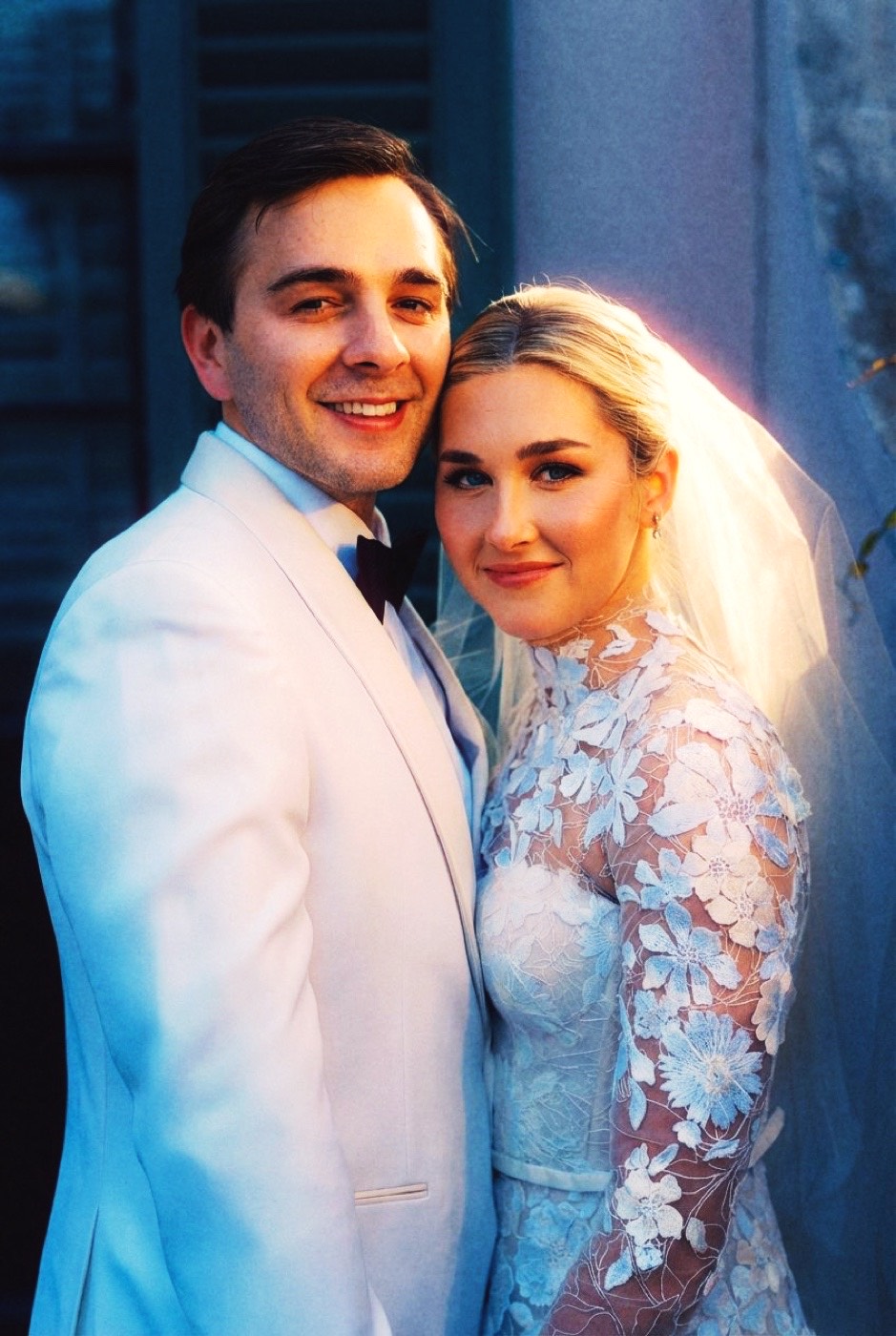
Teal and orange is a complementary grade. Highlights and skin are pushed warm, toward orange; shadows and the background are pushed cool, toward teal or cyan. The two colors sit opposite each other on the color wheel, so placing them side by side produces maximum visual separation.
The reason it works on people is simple: human skin already lives in the orange family. So the complementary color, the one that makes skin pop hardest, is teal. Push the shadows and background cool and the warm subject leaps forward with almost no other effort. That is the whole trick, and it is why it is everywhere.
Where it came from
Before it was a LUT, it was a fact of film. Shoot daylight-balanced stock under mixed light, warm tungsten lamps and shop windows against open shade, and you get warm highlights against naturally cool shadows for free. CineStill 800T does exactly this: it is tungsten-balanced motion-picture film, and its warm glow against cool ambient is the honest, organic ancestor of the look (more in Tasting Notes: CineStill 800T).
Hollywood noticed, digital intermediate grading made it a one-click move in the 2000s, and the blockbuster teal-and-orange grade was born. Then the LUT packs arrived, and the look got cranked into the cliche it is today.
The cliche trap
The bad version is unmistakable: skin pushed so far it turns sickly orange, shadows drowned in electric cyan, the whole frame a muddy contest between two oversaturated colors. It happens because people apply the grade as a fixed recipe, slam the sliders, and walk away. The separation that should flatter the subject ends up wrecking it.
This is the same failure as any heavy preset: one cranked setting forced onto every photo regardless of what the light was already doing.
How to get it right
The good version is restrained. Keep skin natural and believable; only lean the shadows and background cool. You want the separation, not a costume.
The most reliable way to land there is not to crank from zero but to match a reference that already has a tasteful version of the look, then let that balanced result land on your own photo. That is the difference between color grading and color matching: grading is you pushing sliders and hoping; matching is reading a look that already works and rebuilding it on your frame.
That is what Department of Vibe does. Point it at a frame with the teal-and-orange separation you like, and it reproduces that balance on your photo, warm where it should be warm, cool where it should be cool, with skin and subject left exactly as shot. The look, without the slammed sliders.